
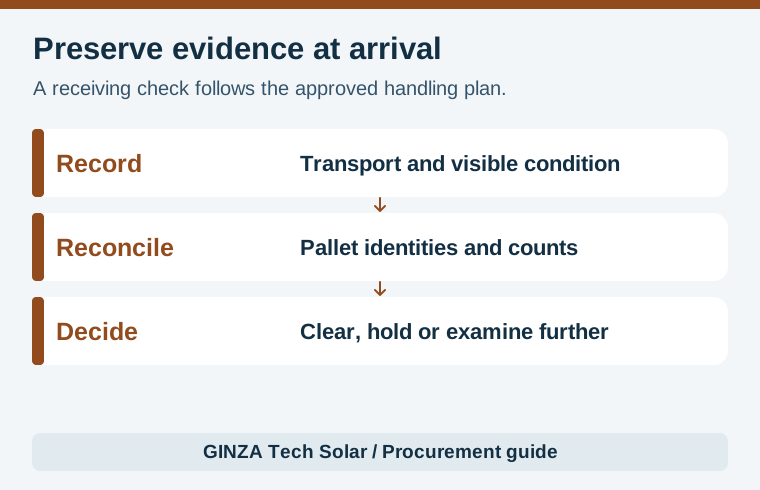
A solar panel receiving inspection checks the identity, quantity and visible condition of a delivered shipment before stock is released for installation. Match pallet labels to the packing list, preserve evidence of transport and packaging condition, and separate uncertain stock until the responsible reviewer decides what can be used. A signed delivery quantity, a warehouse release and a technical acceptance decision can occur at different times under the purchase agreement.
Start with the supplier’s actual packaging and handling instructions. Canadian Solar’s module unpacking instructions illustrate why pallet configuration and unpacking conditions matter. They apply to the products and packaging the manufacturer identifies. For another module, use its current instructions, site conditions and the receiving team’s approved handling procedure.
Prepare the records before the truck arrives
Ask for the shipment identifier, order number, model and option, batch, pallet list, module quantities and serial file. Have the buyer and warehouse use the same revision. A packing list that gives only total units may be enough for a transport count, but a pallet-to-serial list is much more useful when one pallet is on hold. Record how the supplier marks a mixed model or power bin and how the receiving team can tell where the different items are packed.
Assign who records exceptions, who can release inventory, and who communicates with the seller or carrier. Agree whether a receipt acknowledges only stated quantities, whether damage remarks are required on transport paperwork, and what evidence and notice deadlines apply. Contract terms and carrier procedures set these obligations. The inspection team should know where to send an exception even if the buyer is in another time zone.
| When | Record | Decision it supports |
|---|---|---|
| Before arrival | Order revision, pallet IDs and expected quantities | Establish a baseline for reconciliation |
| Arrival | Seal if applicable, transport ID and condition visible on receipt | Preserve evidence before items are moved |
| After safe unloading | Pallet labels, visible exceptions and storage location | Identify what needs a hold or further examination |
| Release | Reviewed quantities, serials and disposition authority | Make stock status clear to installation and purchasing |
Document visible facts before interpreting them
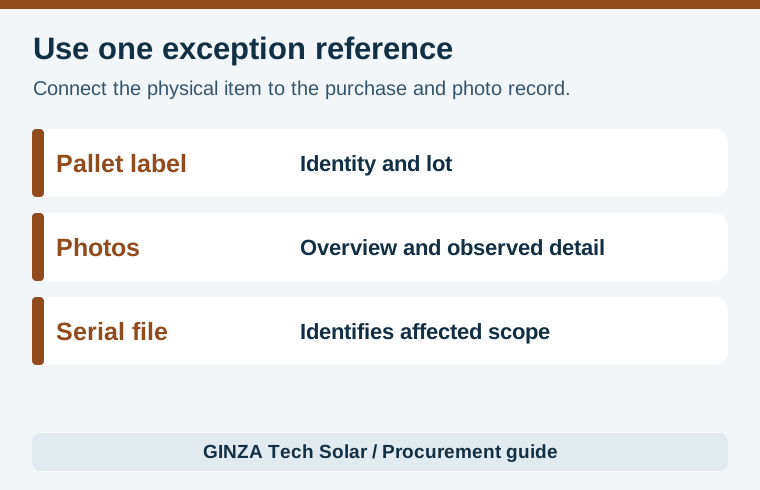
Use an overview photo to show the affected area in context and close views to show the label and the visible condition. Log damp packaging, crushed corners, torn wrap, displaced bands or an activated indicator if the shipment was equipped with one. Record a time and the pallet identity for each observation. Report what is visible and which parts were inaccessible. Photographs help connect the condition to an item, but they do not establish the cause or time of damage on their own.
Follow the site’s approved unloading and segregation procedure, with qualified staff deciding how to handle unstable or visibly damaged pallets. Avoid opening a pallet simply to obtain a photograph when its condition raises a handling concern. The JinkoSolar global module installation manual also treats handling and storage as model-dependent. Keep the manufacturer’s instructions accessible and record the exact document issued for the offered model.
Where the inspection plan provides for safe unpacking, compare the accessible module labels and condition with the agreed sample. Do not turn an outer-carton check into a declaration that internal cells are defect free. Use electroluminescence evidence when internal examination is justified and serial-linked flash data to reconcile rated power evidence. A pre-shipment test can establish a baseline. A later check is a separate record and must identify the same modules and appropriate conditions to support comparison.
Document the inspection unit before opening any pallet. The record may apply to the outer package, a named sample of modules or every serial on a held pallet. Put that scope on the report rather than making the reader infer it from the number of photographs. When a shipment contains mixed power classes, compare the label and serial scope to the packing list for each pallet. A correct overall count can still conceal a swap between two pallet lines.
Worked example: one pallet has a condition exception
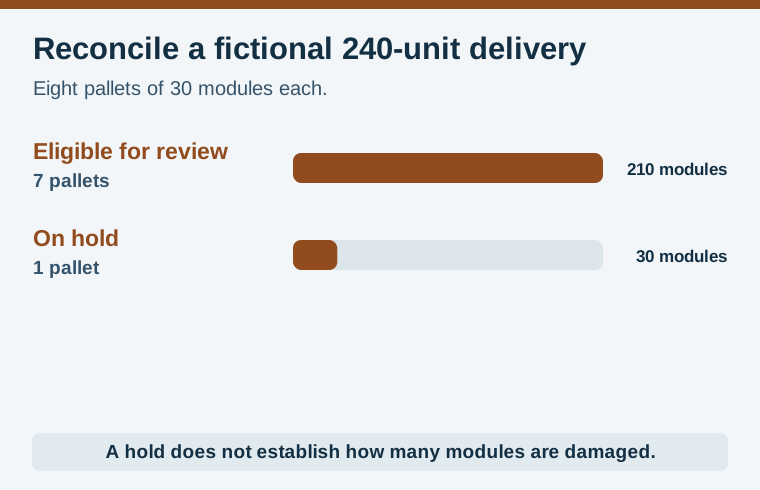
Consider a fictional delivery of 240 modules on eight pallets of 30. The receiving team physically counts eight pallets. A corner on pallet P06 is visibly crushed, and the stock stays under review. The correct quantity records are eight received, seven pallets or 210 modules eligible for provisional review, and one pallet or 30 modules held. None of these quantities establishes the number of damaged modules. That can only be recorded after the agreed follow-up provides evidence.
Suppose the seller later confirms the P06 serial range and a qualified inspection identifies two affected modules and clears the other 28 under the agreed release procedure. The outcome can then be recorded as 238 released and two still on hold. If two replacement modules arrive later, log them under their own serials and link them to the exception. Keep the count of physically received originals separate from stock approved for use so replacement units are not accidentally double counted.
The condition report should name the inspector, date, location, order, carrier reference, contact owner and release authority. Include all relevant documents. Avoid renaming the original photos or files in a way that loses sequence or provenance. If images are annotated for clarity, retain the original and label the derivative. For the project package, use the solar project BOM checklist to link the receiving register to the equipment schedule.
On a busy delivery with several pallets, use a common exception number in the receiving register, photo folder and warehouse system. Record both the supplier’s pallet identifier and any local label applied at the dock. If a held pallet is repacked or moved, log its new location and which parts of the original packaging are retained. That chain of information helps a later evaluator locate the correct items and prevents an operational stock move from looking like a technical release.
Close the exception and preserve the evidence
Keep held stock identifiable in the warehouse and in inventory. Update both records when the responsible reviewer releases or rejects items. Identify what supported the decision, which serials were affected, and whether the supplier committed to replacement, examination or another action under the contract. If the team cannot match one label, record the gap and ask for original shipment evidence before expanding release to that item.
For partial release, use three reconciled counts: physically received, eligible for installation and still held or rejected. Ask purchasing to sign off any difference between the approved stock and the purchase quantity. Installation staff should receive an exact list or location identifier for the approved stock and an updated instruction if another lot is substituted. Keep the affected serials out of a generic bin until the disposition can be traced.
At closeout, file the delivery record with the stock movement and site allocation. A future investigation can use this to distinguish a shipment exception from a later handling event or an installation observation. Suppliers and EPC buyers can review the GINZA PV module range and send the expected packing, serial and inspection documents before agreeing the purchase order.